Veterinary Client Portal Workflow: A Guide for GP Clinics
Learn how to implement and optimize a veterinary client portal to reduce front desk call volume, streamline appointment requests, and improve client communication.
By Helpful.vet Team
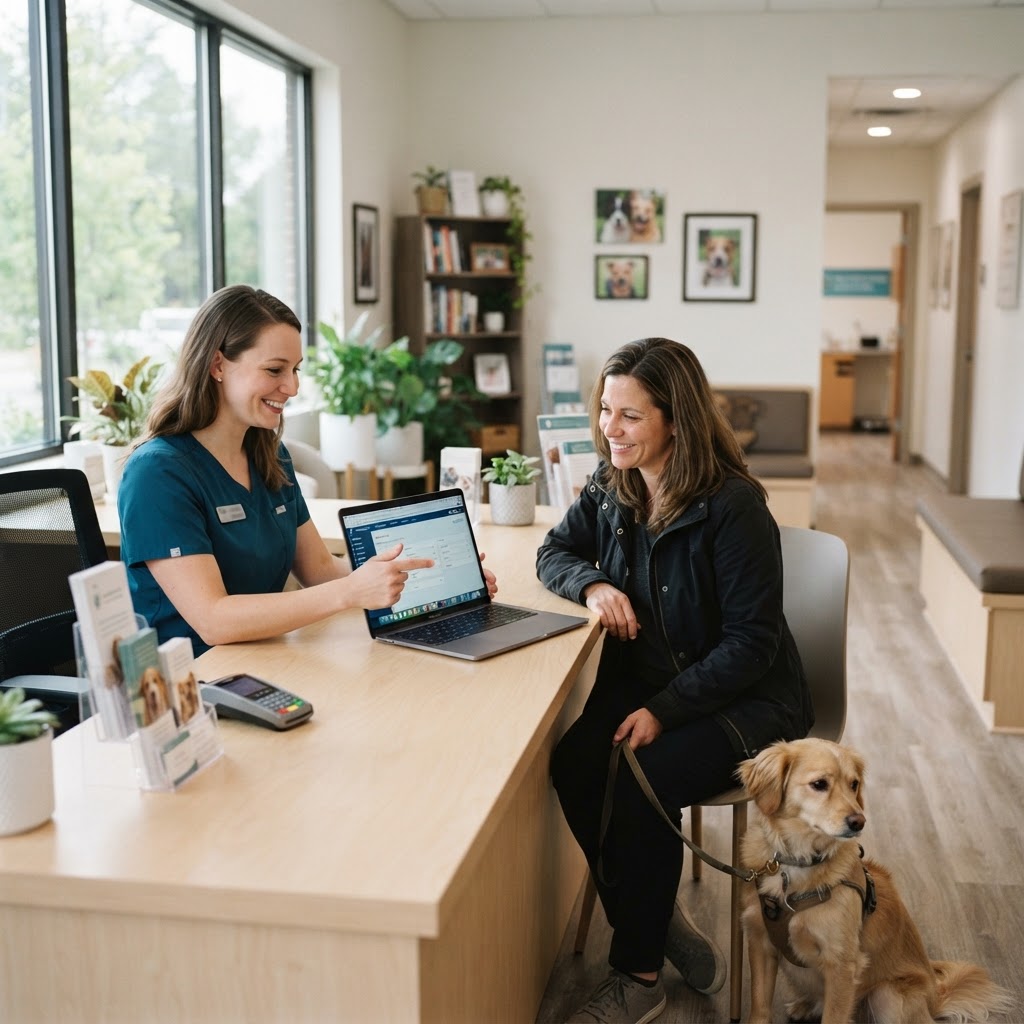
Implementing a robust veterinary client portal is no longer just a modern convenience; it is a critical operational necessity for busy general practice (GP) clinics. With front desk teams fielding dozens of calls daily for routine appointment requests, prescription refills, and vaccination records, a well-integrated pet portal can drastically reduce administrative bottlenecks. By empowering pet owners with self-service tools, your team can reclaim hours of lost productivity and focus on delivering high-quality patient care.
The Impact of a Veterinary Client Portal on Clinic Efficiency
A veterinary client portal serves as a digital bridge between your practice management software (PIMS) and your clients. When optimized correctly, it shifts routine administrative tasks away from your front desk and into the hands of pet owners. Clinics that successfully integrate these platforms often see a 20-30% reduction in inbound call volume within the first six months of adoption.
Before diving into the workflow, it is helpful to assess your current baseline. Consider using our Client Communication Score tool to evaluate how effectively your team currently manages inbound requests and client education.
Core Features of an Effective Portal
Not all portals are created equal. To maximize workflow efficiency, your veterinary client portal should seamlessly integrate with your PIMS and offer the following core functionalities:
- Online Appointment Requests: Clients should be able to view available slots or request times that sync directly to your digital schedule, eliminating the back-and-forth of phone tag.
- Medical Records Access: Instant access to vaccination histories, lab results, and basic medical records prevents clients from calling the clinic when they need proof of vaccination for boarding or grooming.
- Prescription Refills: A dedicated module for medication requests allows technicians to review and approve refills in batches, rather than interrupting their workflow for every phone call.
- Digital Forms and Intake: Pre-visit questionnaires, new client registrations, and surgical consent forms should be accessible and submittable via the portal prior to the appointment.
- Two-Way Messaging: Asynchronous communication allows clients to ask non-urgent questions, which staff can triage and answer during designated administrative blocks.
Step-by-Step Implementation Workflow
Deploying a veterinary client portal requires a structured approach to ensure both staff and client adoption. Follow this phased workflow to integrate the technology smoothly.
Phase 1: System Configuration and Integration
Begin by ensuring your portal communicates flawlessly with your PIMS. A portal that requires manual data entry defeats the purpose of automation. Configure your appointment types, block out specific times for portal-booked exams, and set up automated reminder triggers. Ensure that digital forms map correctly to the patient's medical record.
Where is your workflow slowing down?
Take the free 3-minute GP Clinic Workflow Score and see where your daily workflow is strong, where friction builds up, and what to improve first.
Get Your Workflow ScorePhase 2: Staff Training and Protocol Development
Your team must understand how portal requests flow into their daily tasks. Assign specific roles for monitoring the portal dashboard. For example, designate a customer service representative (CSR) to review appointment requests every two hours, and assign a veterinary technician to process prescription refills twice daily (e.g., at 11:00 AM and 4:00 PM). Clear delegation prevents requests from falling through the cracks. You can audit your current task delegation using our GP Clinic Workflow Score.
Phase 3: The Soft Launch
Roll out the portal to a small test group of tech-savvy, long-term clients. Gather their feedback on the user interface, the booking process, and record accessibility. Use this phase to identify any synchronization issues between the portal and your PIMS before opening it up to your entire client base.
Phase 4: Clinic-Wide Rollout and Marketing
Once the system is stable, launch it clinic-wide. Update your phone system's hold message to mention the portal. Add QR codes to your front desk, exam rooms, and discharge paperwork directing clients to download the app or visit the portal website. Train your CSRs to actively promote the portal at checkout: 'I see Fluffy is due for her next vaccine in six months. You can easily book that appointment and access her records through our new veterinary client portal.'
Overcoming Common Bottlenecks
Even with a perfect rollout, clinics often face hurdles in portal utilization. Here is how to address the most common workflow bottlenecks:
- Low Client Adoption: If clients aren't using the portal, it is usually due to a lack of awareness. Ensure every piece of outbound communication (emails, texts, invoices) includes a direct link to the portal.
- Inappropriate Appointment Requests: Clients may try to book urgent sick visits in routine wellness slots. Mitigate this by adding clear triage questions to the booking workflow (e.g., 'Is your pet experiencing difficulty breathing, severe bleeding, or seizures? If yes, call the clinic immediately.').
- Message Overload: Two-way messaging can become overwhelming if clients use it for emergencies or complex medical advice. Set clear auto-replies stating expected response times (e.g., 24-48 hours) and defining what types of questions are appropriate for the portal.
Measuring Portal Success
To determine the ROI of your veterinary client portal, track specific key performance indicators (KPIs) over a 90-day period. Monitor the percentage of appointments booked online versus over the phone. Track the volume of inbound calls regarding prescription refills and record requests. Finally, measure the completion rate of digital intake forms prior to the client's arrival. A successful portal implementation should show a steady upward trend in digital engagement and a corresponding decrease in administrative phone time.
By treating your veterinary client portal as a core component of your daily operations rather than an optional add-on, you can significantly enhance your clinic's efficiency, reduce team burnout, and provide a more modern, convenient experience for your pet owners.

Helpful.vet Team
ContributorA veterinary professional contributing practical insights to Helpful.vet.
More about Helpful.vetFrequently asked questions
A veterinary client portal allows pet owners to independently book appointments, request prescription refills, and access medical records. By shifting these routine tasks to a self-service platform, front desk staff receive fewer inbound phone calls and can focus on in-clinic client care.
Look for a portal that offers direct integration with your practice management software (PIMS). Essential features include online appointment scheduling, digital intake forms, prescription refill requests, two-way messaging, and instant access to vaccination records.
Promote the portal consistently across all touchpoints. Mention it on your phone hold messaging, include links in appointment reminder emails, place QR codes in exam rooms, and have staff verbally remind clients at checkout that they can access records online.
Yes, direct integration is crucial for workflow efficiency. A standalone portal requires staff to manually double-enter data, which increases the risk of errors and defeats the time-saving purpose of the software.
Medical disclaimer: Helpful.vet provides educational and workflow-related information for veterinary professionals. It does not provide medical advice, diagnosis, or treatment recommendations. Clinical decisions should always be made by a licensed veterinarian using patient-specific history, examination findings, diagnostics, and professional judgment. See our full medical disclaimer.
Get more practical GP tools in your inbox
Short, useful resources for veterinary practice teams.