Veterinary Teletriage Workflow: A Guide for GP Clinics
Discover practical steps to integrate a veterinary teletriage workflow into your general practice. Learn how to prioritize cases, reduce staff burnout, and optimize patient care using virtual triage protocols.
By Helpful.vet Team
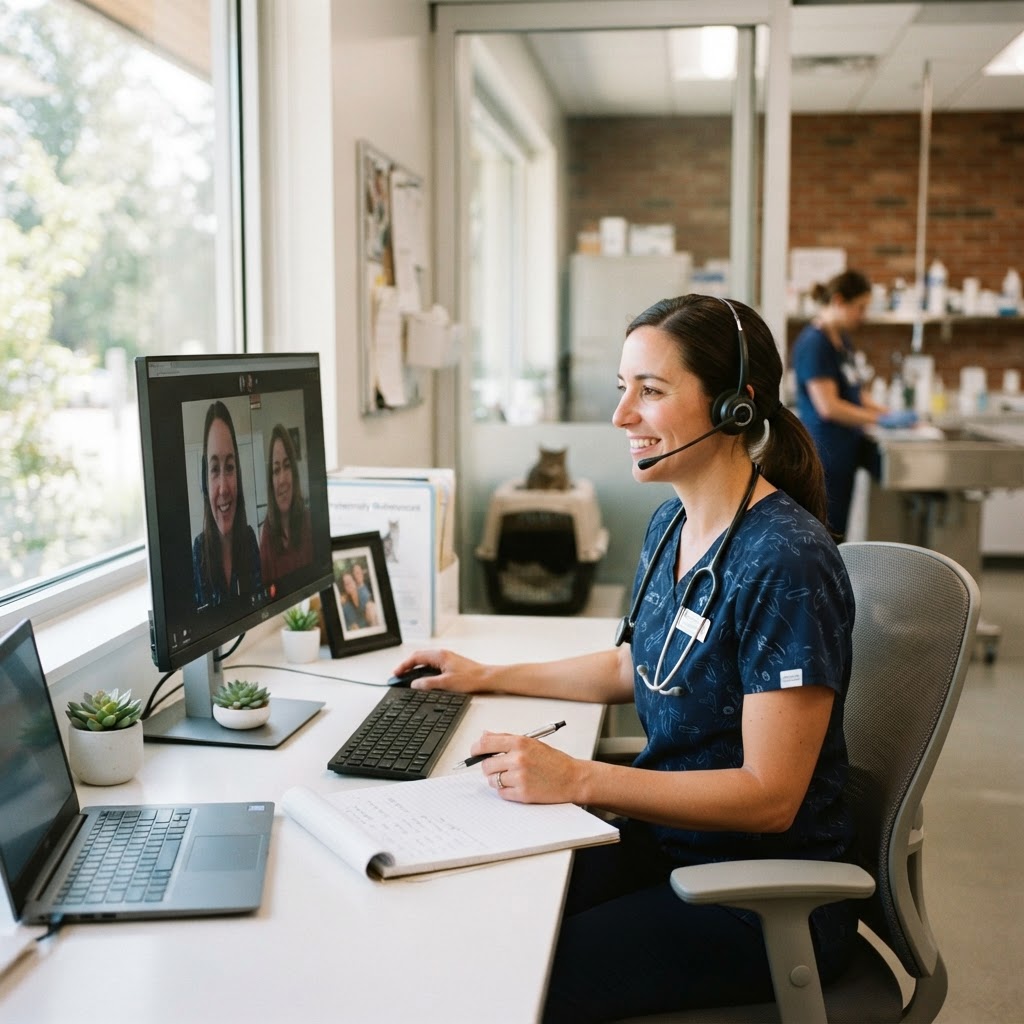
General practice veterinary clinics are facing unprecedented demand, with front desk teams fielding dozens of daily calls from concerned pet owners asking, "Should my pet be seen today?" Without a structured veterinary teletriage workflow, these inquiries often lead to overbooked schedules, exhausted staff, and compromised patient care. Implementing a standardized teletriage system allows your team to remotely evaluate an animal’s condition, determine the urgency of care, and allocate clinic resources effectively.
Understanding the Veterinary Teletriage Workflow
Teletriage is a specific subset of veterinary telehealth. Unlike telemedicine—which involves diagnosing and treating a patient remotely and typically requires an established Veterinarian-Client-Patient Relationship (VCPR)—teletriage focuses purely on assessment and prioritization. A veterinary professional uses real-time communication (phone, video, or chat) to gauge the severity of a pet's symptoms and advise the owner on the next appropriate steps.
A highly functional veterinary teletriage workflow acts as a filter for your clinic. It ensures that critical emergencies are immediately directed to an ER, urgent cases are squeezed into your daily schedule, and non-urgent issues are booked for future available appointments or managed with basic at-home monitoring advice.
Core Benefits of a Virtual Triage System
Integrating a teletriage workflow into your daily operations provides measurable benefits for the clinic, the team, and the clients:
- Improved Resource Allocation: By directing only necessary cases to the clinic, you free up exam rooms and doctor time for patients that truly require hands-on care.
- Reduced Team Burnout: Front desk staff and technicians experience less decision fatigue when they have clear, standardized protocols for handling incoming medical questions.
- Enhanced Client Peace of Mind: Pet owners receive immediate, professional guidance, alleviating their anxiety and building trust in your practice.
- Optimized Schedule Density: Teletriage prevents non-urgent cases from taking up valuable same-day appointment slots, reducing appointment overrun.
5 Steps to Implement a Veterinary Teletriage Workflow
Building a successful teletriage system requires more than just answering the phone. It requires standardized protocols, clear delegation, and the right technology. Follow these steps to build a robust workflow.
1. Define Triage Categories and Red Flag Symptoms
The foundation of any triage workflow is a clear classification system. Work with your medical director to establish standardized categories. A common approach is the traffic light system:
- Red (Immediate/Emergency): Symptoms requiring immediate intervention (e.g., respiratory distress, active seizures, suspected gastric dilatation-volvulus, severe trauma). These patients are immediately referred to the nearest emergency facility or told to come in immediately if your GP clinic is equipped to stabilize them.
- Yellow (Urgent): Conditions that should be seen within 24 hours (e.g., vomiting with lethargy, minor lacerations, acute lameness). These are routed to same-day or next-day GP appointments.
- Green (Non-Urgent): Mild issues that can wait for a scheduled appointment (e.g., mild pruritus, chronic intermittent diarrhea in an otherwise bright and alert pet, routine wellness questions).
2. Select the Right Teletriage Communication Channels
Determine how clients will access your teletriage service. While phone calls are the traditional method, modern workflows benefit greatly from asynchronous and synchronous digital tools. Options include:
- Dedicated Triage Phone Line: A specific extension that routes directly to a triage technician.
- Live Chat/SMS: Two-way texting platforms allow clients to send photos or short videos of the pet's symptoms, which drastically improves the accuracy of the triage assessment.
- Video Calls: Synchronous video provides the highest level of remote assessment, allowing the technician to observe the pet's breathing rate, mentation, and mobility in real-time.
3. Establish Standard Operating Procedures (SOPs) for CSRs
Customer Service Representatives (CSRs) are the first line of defense, but they should not be making clinical decisions. Your workflow must include strict SOPs for the front desk. Provide CSRs with a "Red Flag Checklist." If a client mentions any symptom on the red flag list (e.g., "straining to urinate," "pale gums," "collapse"), the CSR must immediately route the call to a technician or advise the client to head to the ER based on your clinic's policy. If no red flags are present, the CSR places the client in the teletriage queue for a technician callback.
Where is your workflow slowing down?
Take the free 3-minute GP Clinic Workflow Score and see where your daily workflow is strong, where friction builds up, and what to improve first.
Get Your Workflow Score4. Delegate Clinical Triage to Veterinary Technicians
Veterinary technicians are the ideal personnel to manage the teletriage workflow. They possess the clinical knowledge to ask targeted questions and assess urgency. To optimize this, block out specific "triage shifts" in your scheduling software. Instead of having technicians answer triage calls while simultaneously trying to draw blood or monitor anesthesia, assign one technician per shift (or half-shift) to be the dedicated triage coordinator. This focused approach reduces errors and improves response times.
5. Seamlessly Route to In-Clinic Appointments
Once the technician determines the triage level, the workflow must seamlessly transition the patient to the next step. If an in-clinic appointment is deemed necessary, the technician should be able to book the appointment directly or transfer the client back to the CSR with clear instructions (e.g., "This is a Yellow case, please book them into today's 3:00 PM urgent care slot"). All teletriage communications, including the symptoms reported and the advice given, must be meticulously documented in the Practice Management Information System (PIMS).
Overcoming Common Teletriage Bottlenecks
Even with a solid plan, bottlenecks can occur. A common issue is the "callback pileup," where technicians are too busy on the floor to return triage calls, leaving clients waiting and anxious. To prevent this, clinics must prioritize staffing for the triage role just as they would for surgery or exam rooms. If you are struggling to identify where your daily operations are slowing down, consider using our GP Clinic Workflow Score tool to audit your current processes and find areas for immediate improvement.
Another bottleneck is client pushback. Some clients may demand to speak directly to a veterinarian rather than a technician. Overcome this through proactive client education. Update your website, hold messages, and social media to explain that your highly trained veterinary technicians handle initial triage to ensure every pet gets the fastest possible care.
Training Your Team on Teletriage Protocols
A workflow is only as effective as the team executing it. Comprehensive training is non-negotiable. Implement the following training strategies:
- Role-Playing Scenarios: Have staff practice handling common triage calls, ranging from a panicked owner with a choking dog to a frustrated owner demanding a same-day appointment for a minor ear infection.
- Scripting: Provide CSRs and technicians with standardized scripts for opening the call, asking triage questions, and delivering the final recommendation. Scripts ensure consistency and help staff maintain control of the conversation.
- Regular Audits: Once a month, review a selection of documented triage cases during a team meeting. Discuss what went well, what was missed, and how the workflow can be refined.
Measuring the ROI of Your Teletriage Workflow
To ensure your teletriage workflow is actually benefiting the practice, you need to track specific Key Performance Indicators (KPIs). Monitor the following metrics:
- Call Deflection Rate: The percentage of triage calls that are successfully resolved without requiring a same-day GP appointment (e.g., routed to ER, booked for a later date, or resolved with monitoring advice).
- Time to Resolution: The average time it takes from the client's initial contact to the final triage recommendation.
- Same-Day Slot Utilization: Are your urgent care slots being filled with actual urgent cases (Yellow), or are they being wasted on non-urgent (Green) issues?
Legal and VCPR Considerations
It is critical to ensure your teletriage workflow complies with your state or regional veterinary medical board regulations. Teletriage is generally permissible without a VCPR because it does not involve diagnosing or prescribing. However, staff must be strictly trained on the boundary between triage (assessing urgency) and telemedicine (diagnosing/treating). If a client asks, "What is wrong with my dog?" the standard response must be, "Based on these symptoms, we need to see your dog to make a diagnosis, but we need to see them today because these signs are urgent." Always consult your local practice act when formalizing your SOPs.
Conclusion
Implementing a structured veterinary teletriage workflow is a strategic move that protects your team's time, optimizes your appointment schedule, and ensures patients receive the right level of care at the right time. By defining clear categories, leveraging the right technology, and empowering your veterinary technicians, your GP clinic can transform the chaos of incoming phone calls into a streamlined, efficient process.

Helpful.vet Team
ContributorA veterinary professional contributing practical insights to Helpful.vet.
More about Helpful.vetFrequently asked questions
Teletriage involves assessing a patient's symptoms remotely to determine the urgency of care and whether an in-person visit is required. Telemedicine involves diagnosing and treating a patient remotely, which typically requires an established Veterinarian-Client-Patient Relationship (VCPR).
Customer Service Representatives (CSRs) can handle initial screening using standardized questionnaires to identify immediate red flags. However, clinical teletriage and medical decision-making should be delegated to trained veterinary technicians or veterinarians.
Clinics can monetize teletriage by charging a flat triage fee that can be applied to an in-clinic exam if the pet needs to be seen. Alternatively, some practices include teletriage access as a perk within their annual wellness plans.
Yes. By filtering out non-urgent questions and preventing unnecessary appointments from clogging the schedule, a teletriage workflow reduces the chaotic influx of walk-ins and urgent work-ins, leading to a more predictable day for the team.
Medical disclaimer: Helpful.vet provides educational and workflow-related information for veterinary professionals. It does not provide medical advice, diagnosis, or treatment recommendations. Clinical decisions should always be made by a licensed veterinarian using patient-specific history, examination findings, diagnostics, and professional judgment. See our full medical disclaimer.
Get more practical GP tools in your inbox
Short, useful resources for veterinary practice teams.