Optimizing Your Veterinary Digital Forms Workflow
Discover how transitioning to a veterinary digital forms workflow can save your GP clinic up to 15 minutes per appointment, reduce errors, and eliminate front-desk bottlenecks.
By Helpful.vet Team
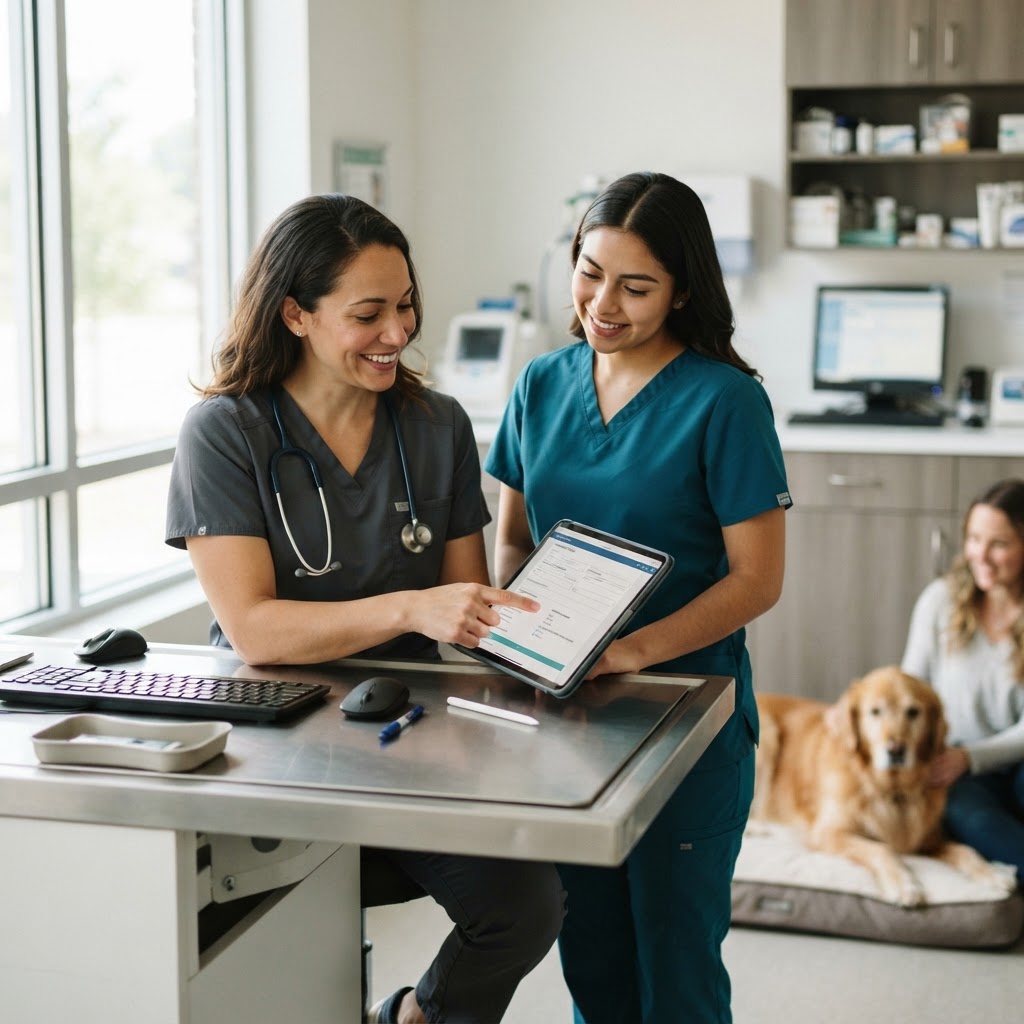
Implementing a seamless veterinary digital forms workflow is no longer just a technological upgrade; it is a fundamental operational requirement for busy general practice (GP) clinics. If your front desk is still handing clipboards to clients upon arrival, your team is losing valuable time to manual data entry, deciphering handwriting, and scanning documents into your Practice Information Management System (PIMS). Transitioning to a digital intake process can save your staff an average of 10 to 15 minutes per appointment, drastically reducing phone traffic and wait times.
The Hidden Costs of Paper-Based Intake
Paper-based workflows create invisible bottlenecks that compound throughout the day. When clients fill out forms in the waiting room, appointments start late. When front desk staff manually re-key that information into the PIMS, error rates can hover around 32%, leading to missing clinical history or incorrect contact details. Furthermore, the physical storage and scanning of paper forms consume administrative hours that could be spent on patient care.
Clinics relying on manual intake processes often experience higher rates of appointment overrun and front-desk burnout due to constant data-entry demands.
To see how your current intake process impacts your overall efficiency, you can evaluate your operations using our GP Clinic Workflow Score.
Core Components of a Digital Workflow
A highly functional veterinary digital forms workflow relies on three main pillars:
- Pre-Arrival Delivery: Forms should be automatically sent to clients via SMS or email 24 to 48 hours before their scheduled appointment.
- Mobile Optimization: Clients must be able to complete and sign forms easily on their smartphones without needing to download a specific app or print documents.
- Real-Time PIMS Integration: Completed forms and updated client data should sync directly into the patient's medical record in your PIMS, ideally in under five minutes, to prevent version mismatches.
Step-by-Step Implementation Guide for GP Clinics
1. Audit Your Existing Forms
Before digitizing, consolidate your paperwork. Many clinics use redundant forms for new client intake, surgical consent, and drop-off questionnaires. Combine overlapping questions and eliminate fields that do not directly impact clinical decisions or billing.
Where is your workflow slowing down?
Take the free 3-minute GP Clinic Workflow Score and see where your daily workflow is strong, where friction builds up, and what to improve first.
Get Your Workflow Score2. Select the Right Software
Choose a platform that offers two-way PIMS integration. If your digital forms software only generates a PDF that your staff still has to manually upload to the patient record, you have only solved half the problem. Look for solutions that map specific form fields (like weight, diet, or current medications) directly to the corresponding data fields in your PIMS.
3. Train Your Team on the New Protocol
Your front desk staff needs a clear script for handling clients who arrive without completing their digital forms. Instead of handing them a clipboard, staff should be trained to say, "I've just sent a secure link to your phone so you can complete the check-in process while you wait." This reinforces the digital workflow and keeps the front desk clear.
Measuring the ROI of Digital Intake
Once your veterinary digital forms workflow is active, track key performance indicators to measure success. You should look for a reduction in new-client call lengths (which can drop by up to 67%), a decrease in form error rates (often falling from 32% to 1%), and a measurable drop in waiting room congestion. Additionally, tracking client compliance with pre-visit instructions can highlight improvements in communication. You can measure this impact using our Client Communication Score.
By eliminating the clipboard, your GP clinic can reclaim hours of lost productivity each week, allowing your veterinary technicians and front desk staff to focus on what truly matters: delivering exceptional patient care and building stronger client relationships.
Helpful.vet Team
ContributorA veterinary professional contributing practical insights to Helpful.vet.
More about Helpful.vetFrequently asked questions
Most GP clinics can transition to a digital forms workflow within two to four weeks. This timeframe includes auditing existing paper forms, setting up the software integration with your PIMS, and training the front desk staff on new intake protocols.
While some clients may initially resist digital forms, mobile-optimized platforms with simple interfaces have high completion rates across all demographics. For clients who cannot use a smartphone, clinics can provide a dedicated tablet in the waiting room to maintain the paperless workflow.
Yes, provided you select a software solution with two-way PIMS integration. High-quality platforms will automatically sync the completed form as a document in the patient's file and update specific data fields, such as contact information and current medications, without manual data entry.
Medical disclaimer: Helpful.vet provides educational and workflow-related information for veterinary professionals. It does not provide medical advice, diagnosis, or treatment recommendations. Clinical decisions should always be made by a licensed veterinarian using patient-specific history, examination findings, diagnostics, and professional judgment. See our full medical disclaimer.
Get more practical GP tools in your inbox
Short, useful resources for veterinary practice teams.